
Stop Buying Blindly! Choosing the Right SATA Cable Matters—The Wrong One Can Affect Hard Drive Performance!
When selecting computer hardware, many users tend to focus on core components like the CPU, graphics card, and motherboard, while overlooking a seemingly insignificant yet crucial accessory: the SATA cable. Have you ever just grabbed a SATA cable at random during a build, thinking, “They’re all the same anyway”? In reality, choosing the right SATA cable is far more complicated than you might think. Picking the wrong one can even lead to serious consequences like reduced hard drive speeds and data loss.
Are SATA Cables Really That Important? Unveiling the Mystery
What Is a SATA Cable?
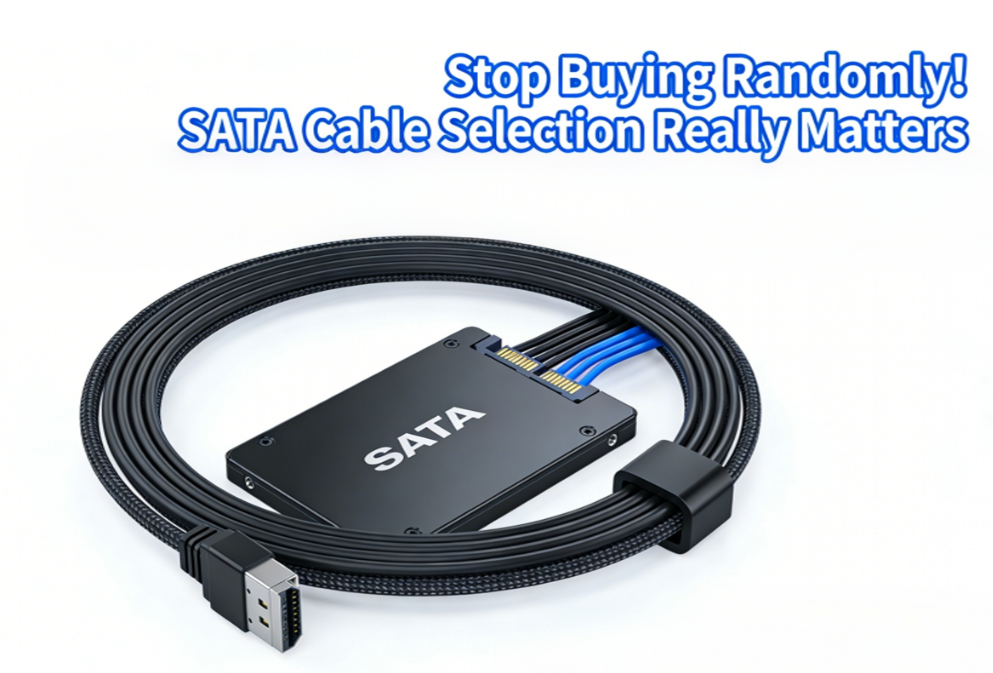
A SATA cable is a data transmission cable that connects the motherboard to storage devices (such as solid-state drives, hard disk drives, and optical drives). It is responsible for transferring data between the motherboard and storage devices, directly affecting the drive’s read/write speeds and system stability.
Why Is Choosing the Right SATA Cable So Critical?
Many users mistakenly believe that all SATA cables are the same, but in reality, SATA cables of different specifications vary significantly in terms of transfer speed, interference resistance, and durability. Using low-quality or incompatible SATA cables may result in:
· The hard drive failing to reach its rated speed
· Frequent system blue screens or crashes
· Data transmission errors or file corruption
· Shortened hard drive lifespan
How to Choose the Right SATA Cable? A Comprehensive Guide to Key Considerations
Version Compatibility: SATA 3.0 Cables Are the Top Choice
Currently, the mainstream SATA cable versions on the market are SATA 1.0 (1.5Gbps), SATA 2.0 (3Gbps), and SATA 3.0 (6Gbps). Although SATA cables are backward compatible, if you are using a SATA 3.0 hard drive (including the vast majority of modern solid-state drives and mechanical hard drives), it is strongly recommended to use a SATA 3.0 cable.
How to Identify a SATA 3.0 Cable?
· The connector is usually labeled; some brands will mark it with “6G” or “SATA III.”
· High-quality SATA 3.0 cables often feature a double-layer shielding design and have a thicker cable body.
· The connector latches are typically made of metal, providing a more secure feel when plugging and unplugging.
Cable Length: Just Enough Is Best; Excessive Length Can Pose Risks
SATA cables typically come in various lengths, such as 30 cm, 50 cm, and 80 cm. When selecting a cable, follow the principle of “just enough is best”:
· Internal Case Cabling: 30–50 cm is usually sufficient
· Excessively Long Cables: Signal attenuation is more pronounced, and they are difficult to manage, which can disrupt airflow within the case
Connector Type: Straight or Angled?
SATA cable connectors are primarily divided into two types: straight and angled:
· Straight connectors: Suitable for installations with ample space
· Angled connectors: Suitable for compact cases, especially those with densely packed drive bays or limited cable routing space
Some high-quality cables also feature a dual-angled design, which greatly facilitates rear cable routing
Cable Quality: Connector Latching and Shielding Design
When selecting high-quality SATA cables, pay close attention to the following points:
· Connector Craftsmanship: High-quality cables feature gold-plated contacts, offering strong resistance to oxidation and more reliable connections
· Cable Material: Cables with a metal shielding layer or braided mesh provide stronger interference resistance and are suitable for cases with complex electromagnetic environments
· Latch Design: Metal latches are more durable than plastic ones and offer a longer insertion/removal lifespan
How Many of These SATA Cable Misconceptions Have You Fallen For?
Misconception 1: SATA cables are all the same; you can use any version
This is the most common misconception. Although SATA cable connectors look identical, the shielding design and material standards of older cables cannot meet the demands of high-speed data transfer. Using older cables to connect a SATA 3.0 solid-state drive can likely result in a significant drop in read/write speeds, with actual tests showing a decrease of up to 30%–50%.
Misconception 2: Coiling cables saves space
Many users coil and secure excessively long SATA cables to keep the case looking neat. This practice increases the risk of signal interference and crosstalk, which can cause data errors—especially during high-speed data transfers. The correct approach is to use cables of appropriate length. If you need to organize them, bend them into an “S” shape and avoid tight coiling.
Misconception 3: All SATA cables from different brands are the same
There are significant differences in quality control among SATA cables from different brands. Low-quality cables may use steel-clad copper conductors and thin shielding layers, which can oxidize and corrode over time, leading to poor contact or even burning out the hard drive interface. It is recommended to prioritize well-known brands or cables included with the motherboard.
SATA Cable Selection Guide: Practical Advice
New System Builders: Prioritize OEM or well-known brand SATA 3.0 cables
If you are purchasing a boxed motherboard or hard drive, the included cables are typically of guaranteed quality. If purchasing separately, we recommend:
· Brand Selection: Products from well-known contract manufacturers such as Amphenol, Foxconn, and Molex, or cables produced by power supply and hardware brands like SilverStone and Lian Li
· Cable Specifications: SATA 3.0 cables explicitly labeled as supporting 6Gbps data transfer
· Purchase Channels: Choose reputable e-commerce platforms and avoid loose, unbranded cables from unknown sources
Upgrading Users: Check if Existing Cables Need Replacing
If your SSD’s benchmark scores are significantly lower than expected, or if you frequently encounter “disk error” messages, consider inspecting the SATA cables you’re currently using:
· Check if the cable is labeled “6G” or “SATA III”
· Inspect the connectors for signs of oxidation or deformation
· Replace the cable with a known-good SATA 3.0 cable and conduct a comparison test
Special Scenarios: Server and NAS Users Require Higher Standards
For users setting up NAS systems, servers, or multi-drive arrays, requirements for electromagnetic interference (EMI) and stability are even higher. We recommend:
· SATA cables with locking clips to prevent accidental loosening
· Cables with individually shielded construction to reduce crosstalk between drives
· Selecting straight or angled connectors based on the backplane interface type
Small Cable, Big Impact—Choose Wisely to Unlock Performance
Returning to the original question—is choosing the right SATA cable important? The answer is a resounding yes.
A small SATA data cable may seem unremarkable, but it serves as the sole bridge connecting storage devices to the motherboard. Selecting the correct SATA 3.0 cable, the appropriate length and connector type, and a reliable brand ensures not only that your solid-state drive achieves its intended read/write speeds but also guarantees the long-term stability of your system.
The next time you build a new PC or upgrade your hard drive, don’t just grab the first cable you see. Taking a few minutes to carefully select a high-quality SATA cable is the most basic way to respect your hard drive’s performance and data security. After all, even the most expensive hard drive is a huge waste if its performance is held back by a subpar cable.