
Three Core Factors Affecting Server Lifetime (Hardware, Environment, Operations)
For beginners entering server management, understanding the core factors influencing server lifetime is a crucial prerequisite for extending server lifespan and reducing operational costs. Many newcomers often overlook details in the early stages, leading to premature server failures, performance degradation, and even shortened overall lifecycles.
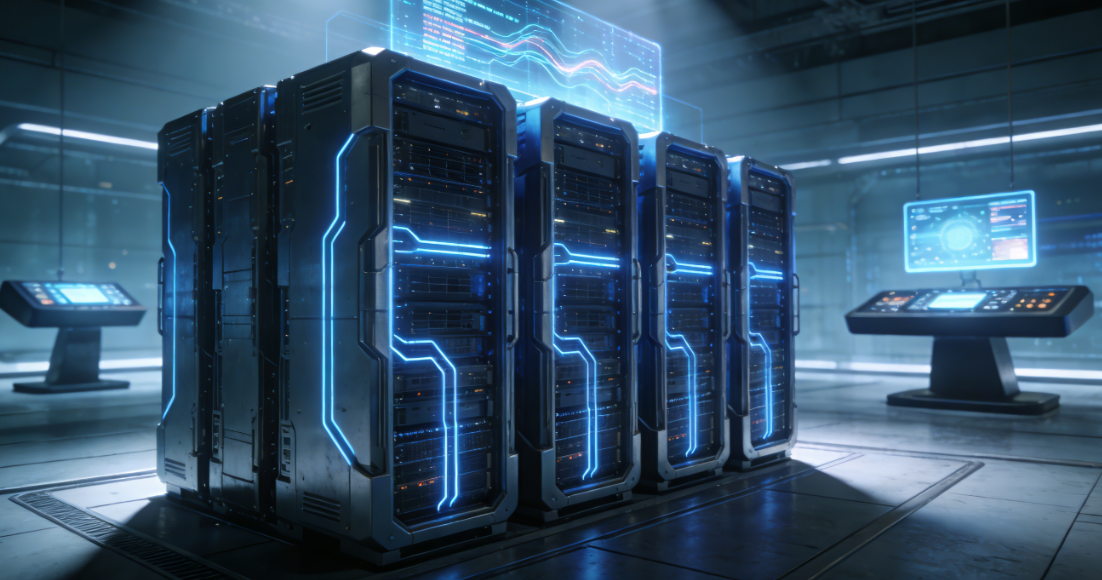
Hardware Configuration: The Foundation of Server Lifetime
As the core physical component powering server operations, hardware is the primary determinant of server lifetime—much like a building's foundation. Without a solid base, longevity is inevitably limited. Many beginners blindly pursue low prices or excessive specifications during server procurement, neglecting hardware compatibility and quality. This ultimately drastically shortens the server's lifecycle, increasing long-term investment costs.
Hardware Quality and Compatibility Directly Determine Foundational Lifespan
Server hardware encompasses core components like CPUs, memory, hard drives, power supplies, and motherboards. The quality of each component directly impacts server lifetime. Premium-brand hardware not only offers greater stability but also withstands prolonged high-load operations. Conversely, substandard hardware is prone to accelerated aging and frequent failures. For instance, low-quality hard drives often develop bad sectors, causing data loss and abruptly ending the server's operational lifespan.
Additionally, hardware compatibility is critical. Novice buyers who haphazardly mix components from different brands or specifications risk hardware conflicts, causing server lag, crashes, and accelerated hardware aging that shortens the server's lifespan. Beginners should opt for pre-matched, compatible hardware sets or consult professionals to prioritize quality and compatibility, laying a solid foundation for the server's operational lifespan.
Hardware Load Adaptation to Prevent Excessive Wear
Server hardware has a defined upper limit for load capacity. Beginners often encounter issues of either “under-configuration” or “overloading.” Under-configuration forces the server to operate at high loads continuously, causing sustained peak utilization of the CPU and memory, which accelerates hardware aging. Conversely, blindly pursuing high-end configurations results in excessive idle resources, leading not only to waste but also potential problems like poor contact and component aging due to prolonged underutilization—both of which similarly impact server lifetime.
Properly matching hardware capacity to workload is key to extending server lifetime. Beginners should calculate peak server load based on business needs and select hardware configurations that match this demand. This approach avoids both high-load wear and idle waste, keeping hardware operating within optimal parameters to maximize the server's lifespan.
Operating Environment: The Steady Foundation for Server Lifetime
The server's operating environment, though seemingly insignificant, is a critical yet often overlooked factor affecting server lifetime. Many beginners neglect environmental management, casually placing servers in ordinary office areas without considering temperature, humidity, dust, and other details. This results in servers operating long-term in harsh conditions, accelerating component aging and shortening their lifespan. A well-maintained operating environment effectively reduces hardware failures, safeguarding server lifetime.
Temperature and Humidity Control: Mitigating Environmental Degradation
Servers generate significant heat during operation. Excessive temperatures can cause critical components like CPUs and hard drives to overheat, triggering automatic throttling or system crashes. Prolonged high temperatures accelerate hardware aging and may even burn out components, ending the server's lifespan. Conversely, high humidity risks moisture damage and corrosion, leading to short circuits. Low humidity generates static electricity that can damage precision components like motherboards and memory modules.
Beginners should note that servers operate optimally at temperatures between 18-25°C (64-77°F) and humidity levels of 40%-60%. It is recommended to house servers in dedicated server rooms equipped with air conditioning, dehumidifiers, and humidifiers. Continuously monitor environmental temperature and humidity to prevent hardware degradation from environmental factors and extend server lifespan. If a dedicated server room is unavailable, avoid placing servers in areas exposed to direct sunlight, near heat sources, or in humid environments.
Dust Prevention and Power Stability to Reduce Hidden Wear
Dust is a “silent killer” for servers. Long-term accumulation can clog cooling vents, impair heat dissipation, accelerate hardware aging, and potentially enter internal components, causing poor contacts, short circuits, and other failures that severely impact server lifespan. Beginners should regularly perform dust removal maintenance—wiping the chassis, cleaning vents—to keep servers clean and minimize hidden wear.
Power supply stability is equally crucial for ensuring server longevity. Voltage fluctuations and sudden power outages can damage server hardware and cause data loss. Long-term voltage instability further accelerates hardware aging. Beginners are advised to equip servers with an Uninterruptible Power Supply (UPS) to handle unexpected power failures while ensuring stable voltage supply, thereby preventing power-related issues from shortening the server's lifespan.
Daily Operations: The Core to Extending Server Lifespan
Hardware forms the foundation, environment provides safeguards, but daily operations are the core to extending server lifespan. Many beginners assume servers require minimal management after deployment, addressing issues only when failures occur. However, neglecting routine maintenance accelerates server aging and shortens its lifespan. Scientific and reasonable daily operations enable timely detection and resolution of potential problems, maximizing server lifespan while ensuring stable operation.
Regular Inspections and Troubleshooting: Prevention is Better than Cure
Routine inspections form the core of operations and are vital for extending server lifetime. Beginners should establish a regular inspection mechanism, focusing on server hardware status, temperature, voltage, hard drive bad sectors, etc. This allows timely detection and resolution of potential faults, preventing minor issues from escalating into hardware damage or server downtime.
Lifetime management tools can assist in real-time monitoring of key metrics like CPU usage, memory utilization, and disk health for rapid anomaly detection. Beginners should conduct weekly basic inspections and monthly comprehensive checks, including hardware dust removal and component connection verification, to maintain optimal server condition and extend its lifespan.
System Optimization and Security Protection to Reduce Software-Level Wear
While system optimization and security protection do not directly impact hardware, they indirectly influence server lifetime. Excessive system junk and redundant background processes cause server lag and high load, accelerating hardware aging over time. Viruses and Trojan intrusions can damage the server system and even harm hardware, directly shortening the server's lifespan.
Newcomers should regularly optimize systems by clearing junk files, disabling redundant background processes, and applying system patches to enhance operational efficiency and reduce hardware load. Simultaneously, installing antivirus software and firewalls, conducting regular virus scans, and implementing robust security measures prevent damage from malware intrusion, indirectly extending server lifetime.
Rational Retirement Planning for Closed-Loop Lifecycle Management
Closed-loop server lifetime management encompasses not only operational maintenance but also structured retirement planning. Many beginners discard servers outright when they malfunction, neglecting pre-retirement data cleanup and hardware disposal. This approach not only poses data security risks but also wastes resources. Establishing a rational server retirement process is crucial for ensuring closed-loop server lifetime management and reducing investment costs.
When a server reaches end-of-life, beginners must first back up and cleanse data, thoroughly deleting sensitive information to prevent leaks. Subsequently, inspect hardware components: salvage reusable parts and properly store them, while disposing of non-reusable parts in an environmentally responsible manner. This achieves closed-loop management of the server's lifetime while accumulating experience for future deployments.
In summary, hardware, environment, and operations are the three core factors influencing server lifetime, each interdependent and indispensable. Hardware determines the foundational lifespan, environment ensures stable operation, and operations extend the lifecycle. For beginners, mastering these three core factors, avoiding common pitfalls, and effectively managing hardware selection, environment control, and daily operations can significantly extend server lifecycle, reduce operational costs, and enable servers to better serve business needs.