
The Ultimate Guide to Choosing Mini SAS Cables: How to Select the Right Cable for Your Server/Storage Array?
Choosing the wrong cable could halve your storage performance!
When deploying or upgrading servers and storage arrays, many administrators focus their budget and efforts on hard drives, RAID controllers, or HBAs (Host Bus Adapters), often overlooking the “lifeline” connecting them—Mini SAS cables. A surprising fact: Choosing the wrong Mini SAS cable can cause link throttling, drive recognition failures, or even system instability. With numerous interfaces like SFF-8087, SFF-8643, SFF-8644, and various types—internal, external, pass-through, or branch—how do you make the right choice? This guide simplifies the process, guiding you step-by-step to find the “perfect cable” that best matches your system.
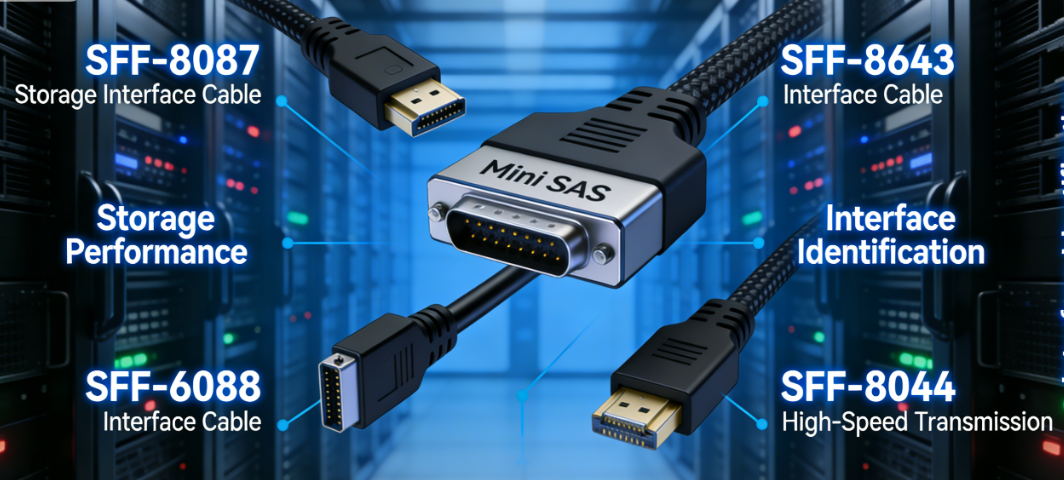
Step 1: Identify Your Connectors—Decoding Mini SAS Connector “Codes”
The first step in selecting a cable is accurately identifying the connector types at both ends of your device. This forms the foundation for all purchasing decisions.
Internal Mini SAS Connectors
SFF-8087 (Most Common): Typically connects motherboards/HBAs to hard drive backplanes. This 36-pin square connector provides 4 SAS/SATA channels (x4). It was the mainstream internal interface during the SAS 2.0 (6Gbps) era.
SFF-8643 (Mini SAS HD Internal): A new-generation high-density internal interface. It features a narrower form factor with a locking mechanism. Supports SAS 3.0 (12Gbps) and higher speeds, also providing x4 lanes, but with improved design and better signal integrity. It is gradually replacing SFF-8087.
External Mini SAS Connectors
SFF-8088: The external counterpart to SFF-8087, featuring a metal shielded housing and latches. Used to connect HBA cards on the server backplane to external JBODs (disk enclosures).
SFF-8644 (Mini SAS HD External): The external counterpart to SFF-8643, currently the mainstream solution for external SAS 12Gbps/24Gbps connections. It serves as the upgraded replacement for high-density SFF-8088.
Step 2: Define Core Requirements—Four Technical Dimensions Determine Your Choice
After identifying the interface form factor, pinpoint specific specifications across four technical dimensions.
Generation & Speed
The cable must support your device's data rate to avoid becoming a bottleneck.
SAS 2.0 / 6Gbps: Requires SFF-8087/8088 cables.
SAS 3.0 / 12Gbps: Requires SFF-8643/8644 cables.
SAS 4.0 / 24Gbps: Also uses SFF-8643/8644 connectors but imposes stricter requirements on cable quality and length.
Important Compatibility Notes: SAS is backward compatible. A SAS 3.0 (12Gbps) Mini SAS HD cable can connect to SAS 2.0 (6Gbps) devices, with the system automatically operating at the lower speed. Conversely, using a SAS 2.0 cable with a SAS 3.0 device may fail to achieve maximum speeds or cause instability.
Internal vs. External
Internal Cables: Lack metal shielding and are designed for air environments inside chassis. Never use internal cables for external connections, as they are highly susceptible to electromagnetic interference.
External Cables: Feature robust metal shielding and locking clips on connectors, with thicker, more durable construction specifically engineered for external chassis deployments.
Straight vs. Breakout
Straight Cable: Both ends feature the same connector type (e.g., SFF-8643 to SFF-8643). Used for point-to-point connections, such as HBA card directly to hard drive backplane, or HBA card to SAS expander.
Breakout Cable: One end features a multi-channel Mini SAS connector, while the other splits into multiple independent SAS/SATA connectors.
· Forward Breakout: Most common. One end is a single SFF-8087/8643 connector, the other splits into 4 SATA or SAS connectors. Used for direct connection of 4 independent drives from an HBA card.
· Reverse Breakout: One end has 4 independent SAS/SATA ports, while the other end aggregates into a single SFF-8087/8643 connector. Typically used to connect a SAS expander backplane to multiple hard drives.
Lane Count
Mini SAS interfaces are typically x4 (4 lanes). However, x8 interfaces (e.g., SFF-8643 HD 8x) exist for higher bandwidth, achieved through two parallel x4 lanes. Verify specifications in your device manual.
Step 3: Consider “Hidden” Factors—Quality, Length, and Gauge
Even with matching specifications, these factors directly impact stability and performance.
Cable Quality & Certification: Prioritize cables with compatibility certifications from major storage manufacturers (e.g., Dell, HPE, Hewlett Packard Enterprise, Broadcom) or reputable third-party brands. Inferior cables may cause CRC errors and signal attenuation.
Length: Shorter is better, provided routing requirements are met. Excessively long cables increase signal delay and attenuation. For SAS 3.0/4.0, lengths under 3-5 meters are recommended.
Wire Gauge (AWG): Lower gauge numbers indicate thicker wire diameter and superior conductivity. High-quality cables typically use 28AWG or 26AWG. Thicker gauge is critical for long-distance transmission or high-speed environments.
Invest in the Right Connections to Unlock Full Performance
Though compact, Mini SAS cables serve as a critical link in storage systems. By following these four steps—identifying interfaces, clarifying dimensions, prioritizing quality, and matching scenarios—you can confidently select the correct, reliable cables for any server or storage array. One right choice means a more stable system, peak performance, and fewer headaches down the road.
For specific questions about cable compatibility with brands like Dell PowerEdge or HPE ProLiant, or to source premium cables in custom lengths, our expert team stands ready to provide further technical support and product selection assistance.