
Server reporting SAS cable A failure? 5-minute quick troubleshooting guide for connection issues
When your server control panel or BMC interface suddenly displays a red alert stating “SAS cable A failure” or “SAS connector A is degraded,” there's no need to panic. This typically indicates a communication issue at the physical layer within the storage chain. As the lifeline connecting hard drive backplanes, RAID cards, and expansion enclosures, SAS (Serial Attached SCSI) cables are critical. Failure can result in performance degradation at best, or storage loss at worst.
This article provides a 5-minute troubleshooting guide for addressing “SAS cable A” errors. It walks you through diagnosing and resolving server SAS cable failures to quickly pinpoint and fix connectivity issues.
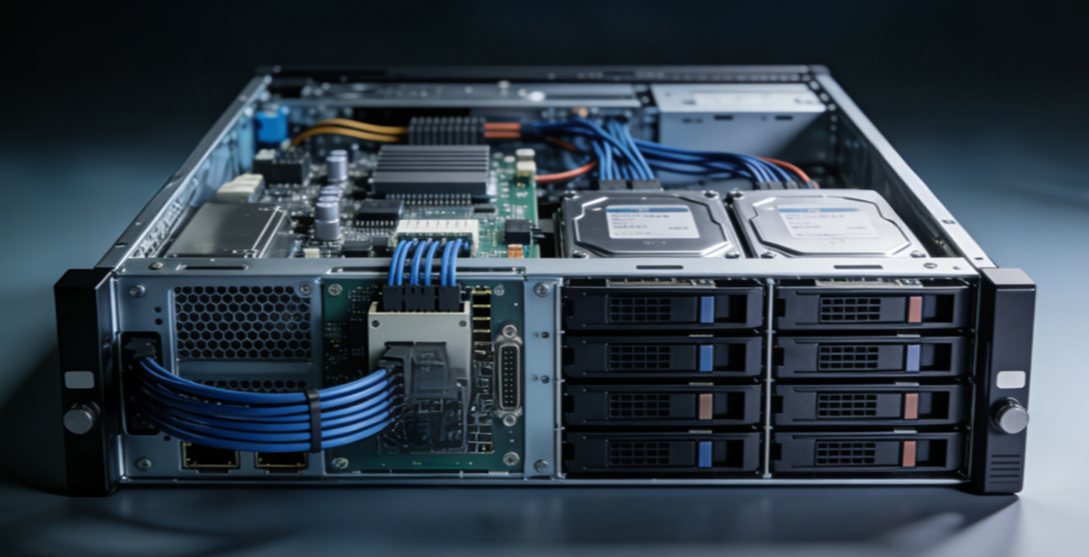
Minute 1: Confirm Symptoms and Initial Assessment
While SAS cable A failure alerts vary slightly across server brands, their core meaning remains consistent: a physical connection anomaly on SAS channel A.
· Dell PowerEdge Servers: Common alert HWC2003 Storage BP1 SAS A0 cable or interconnect failure
· HuaweiFusion Server Servers: BMC directly displays SAS cable error
· PowerStore Storage: Displays “SAS connector A on Bus is degraded”
Upon encountering such alerts, first log into the management card to review detailed logs and confirm the Port A failure. This step rapidly narrows the problem scope, with most cases stemming from loose server SAS cables or poor interface contact.
Second Minute: Rapid Physical-Layer Troubleshooting with “Three Essential Steps”
Over 90% of SAS cable A failures occur at the physical layer, making server SAS cable connection checks the most efficient troubleshooting method.
1. Power down safely with proper anti-static precautions
2. Reinsert SAS Cable A
Locate the SAS Cable A from the RAID card to the hard drive backplane. Unplug it and reinsert firmly, ensuring the latch is fully locked. Numerous official cases confirm loose server SAS cables are the most common cause.
3. Verify port sequencing
RAID card Port A must correspond to backplane Port A to prevent misrouting errors.
Third Minute: Cross-Testing to Isolate Faulty Hardware
When simple plugging/unplugging fails, use SAS cable cross-connection testing to quickly determine whether the issue lies with the cable or the port.
1. Swap SAS A and SAS B cables
· If the failure shifts from Port A to Port B → SAS cable is damaged
· If the failure remains at Port A → The issue likely lies with the RAID card port or backplane
2. Inspect connector pins for foreign objects
Check for bent pins or dust ingress in the connectors, as these are common causes of SAS cable errors on hard drive backplanes.
Fourth Minute: Investigate RAID Card and Backplane Contact Issues
Many overlook a critical point: poor RAID card contact causes SAS errors.
Even with intact cables, loose RAID card/PCIe slot connections or oxidized gold fingers can trigger “SAS cable A failure.”
Troubleshooting steps:
1. Power down and remove RAID card
2. Clean gold fingers
3. Reinsert firmly and secure
This step resolved numerous recurring alerts in Dell and Huawei server cases.
Fifth Minute: Expansion Enclosure and Environmental Inspection
For architectures with expansion enclosures, also monitor SAS expansion enclosure connection failures.
1. Verify topology compliance and avoid SAS cable cross-connections.
2. Confirm controllers, daisy-chain cables, and power supply statuses are normal.
3. After powering on, review RAID card self-tests and system logs to confirm drives are properly mounted.
If errors persist after replacing cables, ports, or reseating the RAID card, it indicates port or hardware damage. Contact the manufacturer's support for replacement parts.
When encountering SAS cable A failure, this procedure suffices
Server SAS cable A failure isn't alarming—blind hardware replacement wastes time. Remember these troubleshooting principles: physical before logical, cables before hardware, single points before entire systems.
The overwhelming majority of failures stem from:
· Loose SAS cables in the server
· Damaged SAS cables
· Poor RAID card contact causing SAS errors
· Incorrect SAS cable connections on the hard drive backplane
Following the 5-minute steps outlined in this article enables rapid troubleshooting and recovery. If the issue persists, retain logs and contact the manufacturer's support for further inspection of the RAID card, backplane, and other hardware components.