
SAS Interface Identification and SAS-to-SAS Cable Selection Guide: How to Choose Models Like SFF8644 and SFF8088?
In enterprise-level servers and high-performance data center storage systems, Serial Attached SCSI (SAS) technology has become the core choice for connecting storage devices due to its stable signal transmission, ultra-high bandwidth, and strong compatibility. The interface compatibility and product quality of SAS-to-SAS cables directly determine the storage system's transmission speed, data security, and service life. Many IT operations personnel often encounter device incompatibility and performance bottlenecks during actual deployment due to confusion over interface models like SFF8644 and SFF8088. This article comprehensively analyzes SAS interface model identification techniques and combines core selection criteria to help you accurately choose the right SAS-to-SAS cable.
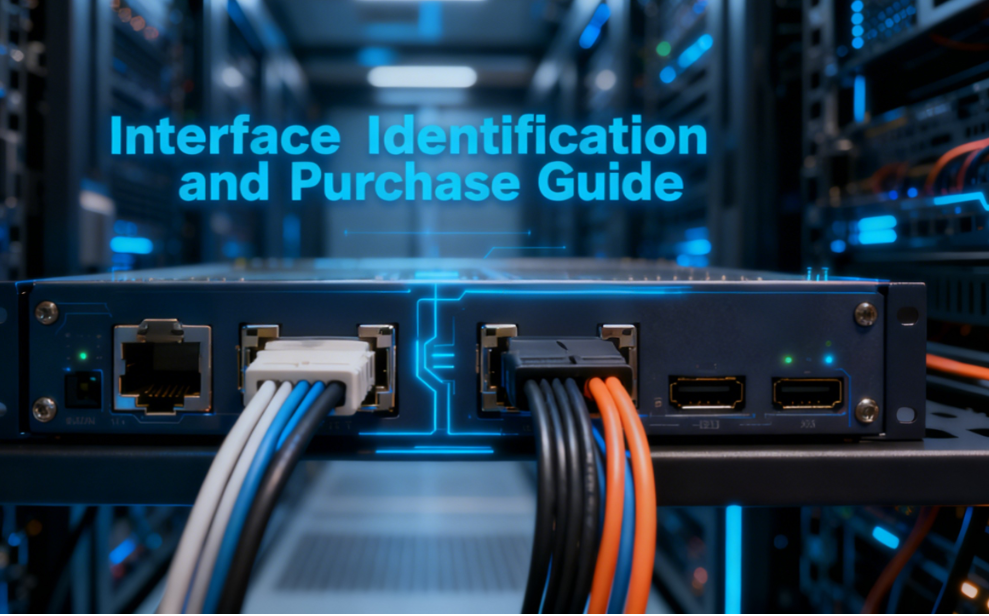
Comprehensive SAS Interface Model Analysis: How to Distinguish Internal/External Interfaces?
SAS interfaces feature numerous models, with core differences centered on application scenarios (internal/external), transmission rates, and pin designs. The SFF series interfaces dominate the market. Key parameters for high-frequency models are as follows:
Internal SAS Interfaces (Server/Storage Enclosure Connections)
SFF8484 (Mini-SAS 4i): 36-pin design supporting 4-channel SAS/SATA signal transmission. Compatible with 6Gbps transfer rates, it remains a common interface for legacy internal storage devices (e.g., SAS HDDs, SSDs) and is still widely used in older servers.
SFF8643 (Mini-SAS HD 4i): A high-density internal interface engineered for 12Gbps SAS technology. Its more compact pin layout enables higher bandwidth within limited space, making it the preferred choice for internal storage connections in next-generation enterprise servers.
SFF8087 (Mini-SAS 4i): A classic 6Gbps interface standard, serving as the predecessor to SFF8484. It offers strong compatibility but has a lower speed ceiling, making it suitable for entry-level storage scenarios with modest transmission speed requirements.
External SAS Interfaces (External Storage Array/Expansion Device Connections)
SFF8644 (Mini-SAS HD 4x): The core external connection model supporting 12Gbps high-speed transmission. Designed specifically for external storage arrays, disk enclosures, and similar devices, it features a keyed design to prevent misinsertion, making it the core choice for external storage expansion in data centers.
SFF8088 (Mini-SAS 8i): An 8-channel high-bandwidth interface supporting 6Gbps-12Gbps transfer rates. Commonly used for direct connections between high-end servers and storage arrays, it accommodates concurrent transfers across multiple devices and is widely deployed in large-scale SAN storage architectures.
SFF8482 (SAS + Power): Integrates power and data transmission, eliminating the need for separate power cables. Ideal for direct connection to external hard drive enclosures and portable storage devices, simplifying cabling while ensuring stable data transfer.
Four Core Principles for Selecting SAS-to-SAS Cables
Precise Interface Matching: Avoiding “A Miss is as Good as a Mile”
Before purchasing, clearly identify the interface types of your equipment: The interface models of server HBAs and RAID cards (e.g., SFF8643, SFF8088) must perfectly match those of storage devices (hard drives, expanders, array enclosures). For example, connect external storage arrays using SFF8644 SAS-to-SAS cables, while prioritize SFF8643 or SFF8484 models for internal server hard drive connections. Note: SAS interfaces support backward compatibility with SATA devices, but SATA cables cannot handle SAS high-speed transmission—never mix them.
Transfer Rate Compatibility: Balancing Performance and Cost
The SAS-to-SAS cable's data rate must match the SAS version supported by the equipment: SAS-3 (12Gbps) devices require cables supporting 12Gbps (e.g., SFF8644, SFF8088). SAS-4 (24Gbps) devices require high-specification shielded cables to avoid performance bottlenecks caused by mismatched speeds. For legacy 6Gbps devices, select cables like SFF8087 or SFF8484 that match the specified rate—there's no need to blindly pursue high-end models.
Quality First: Prioritize Shielding Design and Durability
Enterprise storage environments demand 24/7 uninterrupted operation, where SAS-to-SAS cable quality directly impacts stability:
· Prioritize cables with metal shielding to minimize electromagnetic interference (EMI) and ensure signal integrity;
· Cable materials must resist bending to prevent internal core damage from sharp kinks, extending lifespan;
· Select products from reputable manufacturers to guarantee gold-plated connectors and precise pin alignment, reducing contact failure risks.
Topology Requirements: Point-to-Point vs. Daisy Chain
Point-to-Point (Direct Connection): Host HBA cards connect directly to single SAS drives. Use short-length (1-3m) SAS-to-SAS cables, prioritizing 4-channel models like SFF8484 or SFF8643.
Daisy Chain (Expander Connection): Connecting multiple drives via a SAS expander requires cables supporting multi-device concurrency (e.g., SFF8088). Ensure proper termination matching at the end device, and limit cable length to under 5 meters to prevent signal attenuation.
Common Pitfalls to Avoid
Confusing internal/external interfaces: Mixing SFF8643 (internal) with SFF8644 (external) connectors causes insertion failures or transmission interruptions.
Ignoring compatibility: Assuming “SATA cables can replace SAS cables” is incorrect. SATA cables lack support for SAS's high-speed protocols, leading to sudden rate drops and data packet loss.
Pursuing excessive length: SAS-to-SAS cables exceeding 5 meters require signal amplifiers; otherwise, link errors occur. Prioritize 1-3 meter lengths for short-distance connections;
Neglecting hot-plug support: For hot-plug scenarios, verify that the cable, HBA card, and hard drive all support hot-plug functionality to prevent interface damage during insertion/removal.
Practical Connection & Performance Optimization: Refer to Professional Guides
After selecting the appropriate SAS-to-SAS cable, proper connection methods are equally critical. For detailed interface alignment, topology verification, and troubleshooting techniques, refer to the professional connection guide: https://www.skywardtel.com/How-to-Properly-Connect-SAS-to-SAS-Cables-for-Optimal-Performance.html. This resource covers connection procedures, diagnostic methods, and solutions for common issues (e.g., device non-recognition, slow speeds) for mainstream models like SFF8644 and SFF8088, enabling swift deployment and ensuring stable system operation. SFF8088, and solutions for common issues like device non-recognition or slow speeds. This ensures swift deployment and stable system operation.
The core principles for selecting SAS-to-SAS cables are “accurate interface identification + scenario adaptation + quality priority.” Whether choosing external interface models like SFF8644 or SFF8088, or internal interface models like SFF8643 or SFF8484, decisions must integrate device type, transmission rate, and topology. A high-quality SAS-to-SAS cable not only maximizes SAS technology's 24Gbps peak bandwidth but also ensures 24/7 stable operation of enterprise storage systems, providing reliable connectivity support for data centers and server clusters. For further details on interface compatibility or connection techniques, consult professional technical guides to avoid common pitfalls in selection and deployment.