
Mini SAS Cable Transmission Issues? 1- Minute Quick Troubleshooting Tips
In scenarios like data center deployments, server storage expansion, and NAS device maintenance, mini SAS cables serve as core transmission lines. Their stability directly impacts data read/write efficiency and device operation. However, many operations personnel encounter transmission anomalies with mini SAS cables in practice—such as transmission interruptions, sudden speed drops, data loss, or device recognition failures. Untimely troubleshooting can disrupt work progress and even pose data risks.
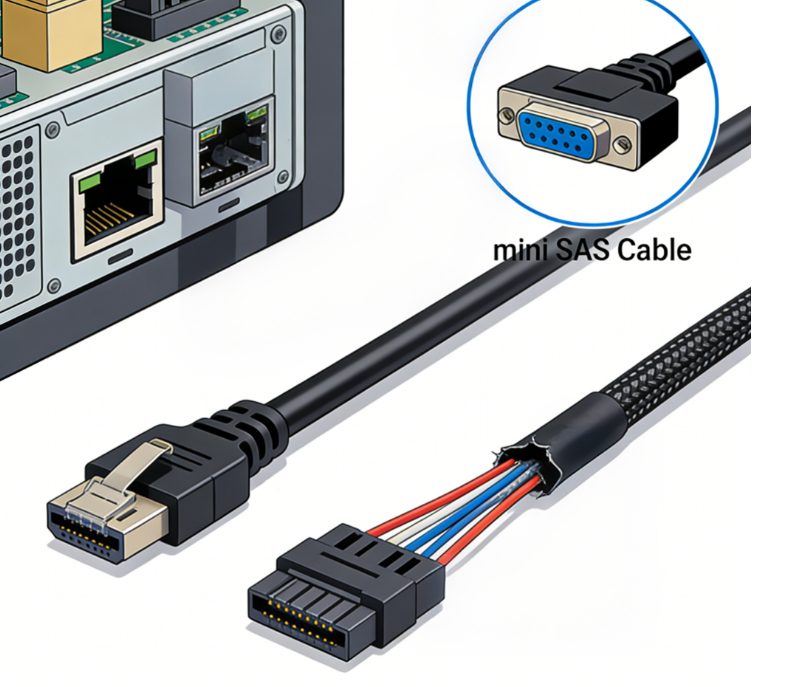
Core Understanding: Common Manifestations and Impacts of Mini SAS Cable Transmission Anomalies
Mini SAS cable transmission anomalies are not singular faults. Different manifestations correspond to distinct troubleshooting directions.
Common Transmission Anomaly Manifestations (Precise Correspondence to Fault Points)
1. Transmission Interruption: Data transfer abruptly halts, with devices displaying “Connection Lost” or “Cable Not Recognized.” Commonly caused by loose interfaces or poor contact.
2. Sudden Rate Drop: Actual transmission speed falls significantly below cable specifications (e.g., 6Gb/s Mini SAS cable operating below 1Gb/s). Often linked to miswired sequences, compatibility mismatches, or severe interference.
3. Data Loss/Errors: File corruption or missing data after transmission completion, often caused by cable aging, signal interference, or substandard cable quality;
4. Device Recognition Failure: Servers, RAID controllers, hard drives, etc., fail to recognize the Mini SAS cable after connection, typically due to incompatible interface models or damaged cables;
5. Frequent Error Reports: Devices repeatedly display “Transmission Error” or “Signal Unstable” warnings, often due to poor shielding, improper cabling, or incompatibility between the cable and device firmware.
Core Impacts of Transmission Anomalies (Highlighting the Necessity of Troubleshooting)
For enterprises and IT staff, Mini SAS cable transmission anomalies may seem minor but pose significant risks: mild cases result in inefficient data transfer, slowing down office and maintenance progress; severe cases lead to critical data loss, device damage, and increased operational costs. If occurring in core data center scenarios, they may trigger cascading failures, impacting the stable operation of entire storage systems.
1-Minute Rapid Troubleshooting Techniques (No Specialized Tools Required; Beginners Can Start Immediately)
Core troubleshooting principle: “Start simple, move complex; start external, move internal.” First eliminate basic issues (e.g., loose connections, poor contact), then investigate more complex faults (e.g., cable sequence, compatibility). Complete foundational checks within one minute to swiftly restore transmission.
Step 1 (10 Seconds): Inspect Interface Connections to Rule Out Loose/Poor Contact
This is the most common cause of Mini SAS cable transmission issues and the easiest step to troubleshoot—requiring no tools, just manual operation.
Technique: Grip both ends of the Mini SAS cable firmly with both hands. Gently insert and remove the cable 2-3 times to ensure it is fully seated in the device's port and the locking latch is securely engaged (a “click” sound indicates proper locking). Simultaneously inspect the connectors for dust or debris. If present, gently wipe with a dry, soft cloth to prevent contact issues caused by contamination.
Troubleshooting Focus: Prioritize inspecting connections between the mini SAS cable and the server, RAID controller, or hard drive backplane. Ensure both ends are securely attached with no signs of loosening or disconnection.
Step 2 (20 seconds): Inspect cable appearance for physical damage
Prolonged use of mini SAS cables may cause internal wire breaks or outer sheath damage due to improper routing, pulling, or wear, leading to transmission issues. Visual inspection can quickly identify such problems.
Operational Tips: Quickly inspect the entire cable length for any damage, cracks, or wear marks on the outer sheath. Check both connectors for deformation or bent pins (if pins are bent, do not force insertion to avoid damaging the device port). Gently press the middle section of the cable and observe if the device restores normal transmission (to rule out internal wire breakage).
Troubleshooting Key Points: If cable damage or connector deformation is detected, immediately replace the Mini SAS cable (prioritize cables matching the device interface, meeting quality standards, and identical to the original specification) to prevent further issues.
Step Three (30 seconds): Check Compatibility and Firmware to Quickly Pinpoint Hidden Faults
If the interface is secure and the cable undamaged yet transmission remains abnormal, the issue is likely compatibility or firmware-related. No specialized operations are required; simple observation suffices for troubleshooting.
Troubleshooting Techniques:
1. Verify Mini SAS cable specifications match device requirements (e.g., SFF-8087 cables require internal devices, SFF-8088 cables require external devices; transmission rates must align with device support to prevent mismatches between high-speed cables and low-speed devices, or vice versa).
2. Observe device indicator lights (e.g., server or RAID controller lights). If lights flash red, it likely indicates firmware incompatibility. Restart the device and retry the transfer.
3. Verify the device firmware is up to date (outdated firmware may cause poor compatibility with mini SAS cables; upgrading firmware may resolve the issue).
Troubleshooting Focus: Compatibility issues often arise after replacing cables or adding new devices. Prioritize verifying cable model and transfer rate match the device specifications before investigating firmware problems.
Detailed Solutions for Common Transmission Anomalies (Precise Matching, Efficient Resolution Without Detours)
Combining the above troubleshooting steps, detailed solutions are organized for the four most common transmission anomalies with mini SAS cables. After diagnosis, these can be directly applied without additional trial and error, further enhancing troubleshooting efficiency.
Transmission Interruption (Most Common): Prioritize Interface and Cable Issues
Solution: Reinsert both ends of the Mini SAS cable, ensuring all latches are securely locked. Clean dust from the connectors. If pins are bent, replace the connector or cable. If interruptions persist after reinsertion, inspect the cable for internal breaks and replace it if necessary.
Sudden Rate Drop: Focus on Compatibility and Interference
Solution: Verify the Mini SAS cable's transmission rate matches the device's supported rate (e.g., for 12Gb/s devices, use high-speed cables with SFF-8643/8644 connectors). Check if the cable runs parallel to high-voltage lines (which generate electromagnetic interference causing rate drops). Adjust the routing to distance it from interference sources like high-voltage lines and frequency converters.
Device Recognition Failure: Focus on Interface Models and Cable Quality
Solution: Verify the Mini SAS cable interface model matches the device interface (e.g., use SFF-8087/8643 for internal devices, SFF-8088/8644 for external devices) to prevent interface mismatches. If interfaces match, replace with a new, quality-compliant Mini SAS cable (substandard cables may prevent device recognition).
Data Loss/Errors: Replace with High-Quality Cables + Optimize Cabling
Solution: Immediately halt transmission. Replace with compliant, well-shielded Mini SAS cables (prioritize branded cables to prevent data errors from substandard cables). Adjust cable routing away from interference sources to avoid signal instability causing data loss. Test cable transmission stability before transferring critical data.
Troubleshooting Pitfalls + Routine Maintenance to Reduce Transmission Anomalies at Source
Many operations personnel fall into common pitfalls when troubleshooting mini SAS cable transmission issues, leading to inefficient diagnostics or even equipment damage. Meanwhile, proper routine maintenance can significantly reduce transmission anomalies.
Three Critical Pitfall Avoidance Points (Essential for Beginners)
1. Never forcefully insert or remove connectors: If insertion is difficult, do not apply excessive pressure. First verify connector compatibility and check for bent pins to prevent damage to device ports and cables.
2. Avoid replacing cables indiscriminately: Only replace cables after pinpointing the specific fault location to prevent unnecessary costs (e.g., loose connectors may not require cable replacement).
3. Address interference concerns: During installation, position mini SAS cables away from high-voltage equipment, frequency converters, routers, and other interference sources to prevent transmission issues caused by electromagnetic interference.
Daily Maintenance Techniques (Reducing Failure Rates)
1. Conduct weekly cable and connector inspections: Perform a quick weekly check focusing on loose connectors and cable wear. Clean connector dust promptly.
2. Standardize cabling: Avoid excessive pulling or bending of cables. Allow sufficient slack during installation and prevent cable compression.
3. Select high-quality cables: For long-term use, choose branded Mini SAS cables that meet quality standards. Avoid low-quality cables that frequently cause transmission issues, thereby reducing operational costs.
4. Timely Firmware Updates: Regularly check device firmware versions and upgrade promptly to enhance compatibility with mini SAS cables.
1-Minute Troubleshooting for Efficient Resolution of mini SAS Cable Transmission Anomalies
mini SAS cable transmission anomalies are manageable. The core lies in mastering the 1-minute rapid troubleshooting process: “Interface Inspection - Visual Check - Compatibility Verification.” Requiring no specialized tools, even novices can quickly resolve issues, minimizing data risks and operational costs.
In reality, most Mini SAS cable transmission issues stem from three fundamental causes: loose interfaces, damaged cables, and compatibility mismatches. Implementing routine maintenance, standardized selection, and proper cabling can significantly reduce failures. We will continue sharing practical insights on Mini SAS cable selection, operations, troubleshooting, and more to empower IT professionals and practitioners to use Mini SAS cables efficiently while avoiding common pitfalls.